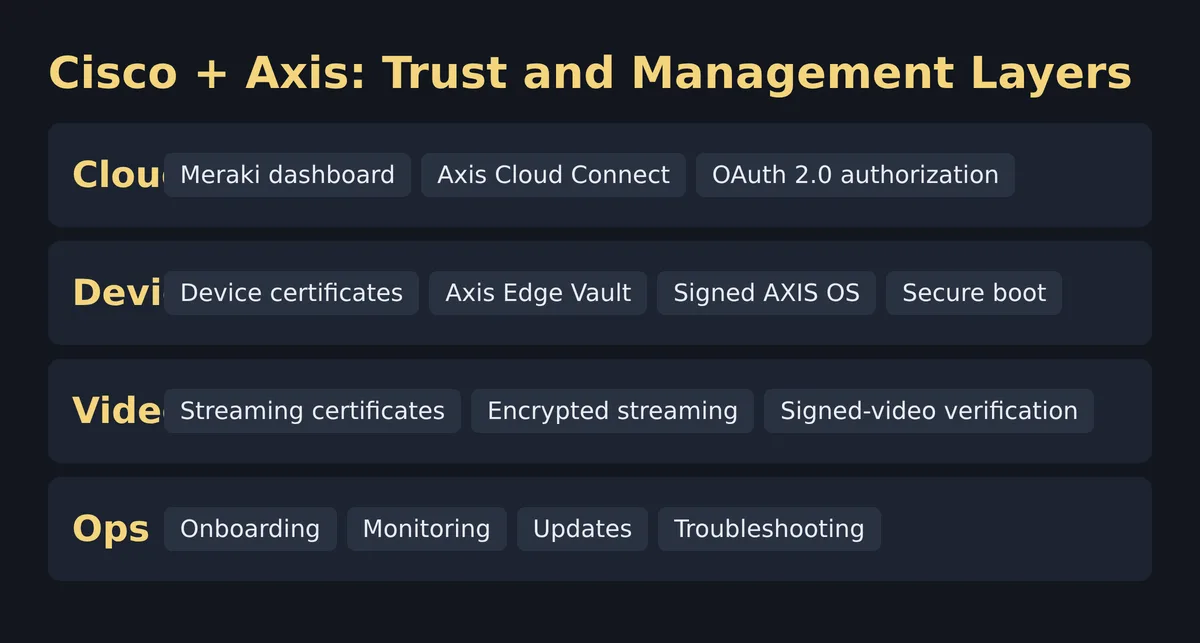
Cisco and Axis unified device management brings supported Axis cameras and devices into the Cisco Meraki dashboard through Axis Cloud Connect. The practical change is a shared cloud management plane for onboarding, configuration, health, updates, troubleshooting, and video operations—not the elimination of network, identity, retention, or incident-response design. Security engineers should treat the integration as a convergence point that requires explicit trust boundaries and operational ownership.
Key Takeaway: Cisco Meraki can centralize supported Axis device operations, but the dashboard is only one layer; engineers still need to validate OAuth authorization, device identity, encrypted transport, administrator roles, retention, licensing, and failure behavior.
How Does Cisco Meraki Integrate With Axis Cloud Connect?
The Cisco–Axis integration uses a cloud-to-cloud relationship between the Meraki dashboard and Axis Cloud Connect, then registers supported Axis devices into the Cisco management experience. According to Cisco (2026), the setup begins on the Meraki integrations page and establishes OAuth 2.0 authorization before devices are claimed and configured. According to Cisco (2026), the resulting workflow supports one-click onboarding and automatic device discovery across networks. That sequence matters: OAuth authorizes the service relationship, while device registration and certificates establish separate operational identities. Engineers should not collapse those stages into one vague idea of “cloud trust.” The vendor material describes what the platforms can do, but it does not replace a site-specific data-flow diagram, role matrix, revocation test, or rollback plan. Those engineering artifacts determine whether the integration fits an organization’s control model.

The management path can be read as a short chain:
- Authorize the Cisco-to-Axis service relationship from the Meraki integrations page.
- Register only supported Axis devices for cloud management.
- Stage a default or customized configuration before installation.
- Claim the device locally with the onboarding action or remotely through the interface described by Cisco.
- Verify configuration, firmware state, streaming trust, monitoring, and administrator access after enrollment.
This is not a claim that every step is automatic in every environment. Proxies, outbound filtering, identity policy, change control, and device eligibility remain local design concerns. Separate controller convenience from operational verification: first document what the cloud plane owns, then test what happens when it is unavailable.
Which Security Controls Protect Axis Devices and Video?
The integration combines cloud authorization, device identity, platform integrity, and video protection rather than relying on one security mechanism. According to Cisco (2026), its side creates video-streaming certificates with a public chain of trust and provisions them into the joint solution. Cisco also says trusted Axis device certificates protect footage and sensitive data stored on the device. According to Cisco (2026), Axis Edge Vault maintains a cryptographically validated chain of trust, while signed AXIS OS and secure boot restrict execution to authorized software. Signed-video support adds an integrity-verification mechanism for recorded material. These controls address different risks: a valid OAuth grant does not prove a device booted trusted software, and secure boot does not determine whether an administrator should see live video. A useful review therefore maps each threat to the specific control and evidence source.
| Security question | Documented mechanism | What the engineer should verify |
|---|---|---|
| Who authorizes the cloud connection? | OAuth 2.0 integration | Grant owner, requested scope, approval record, revocation path |
| Which device is communicating? | Axis device certificates | Inventory match, certificate status, replacement process |
| Is the software trusted at startup? | Signed AXIS OS and secure boot | Supported model, current OS policy, failed-boot behavior |
| Is stored sensitive data protected? | Axis device certificates and Edge Vault | Local storage design, key handling, recovery procedure |
| Can video integrity be checked? | Signed video | Verification workflow, evidence handling, tool access |
| Is streamed video protected? | Cisco-provisioned streaming certificates | Trust chain, client validation, certificate renewal |
The table is a review checklist, not a certification of a particular deployment. Add role-based access, multi-factor authentication, log export, time synchronization, and joiner-mover-leaver handling to the design only after confirming them in the organization’s current product documentation and configuration. The Cisco ISE TrustSec segmentation guide is useful background for separating device classification, policy, and enforcement. The AI-agent authorization article makes the same broader point: authentication is not authorization, and authorization is not continuous assurance.
What Can Teams Manage From the Unified Dashboard?
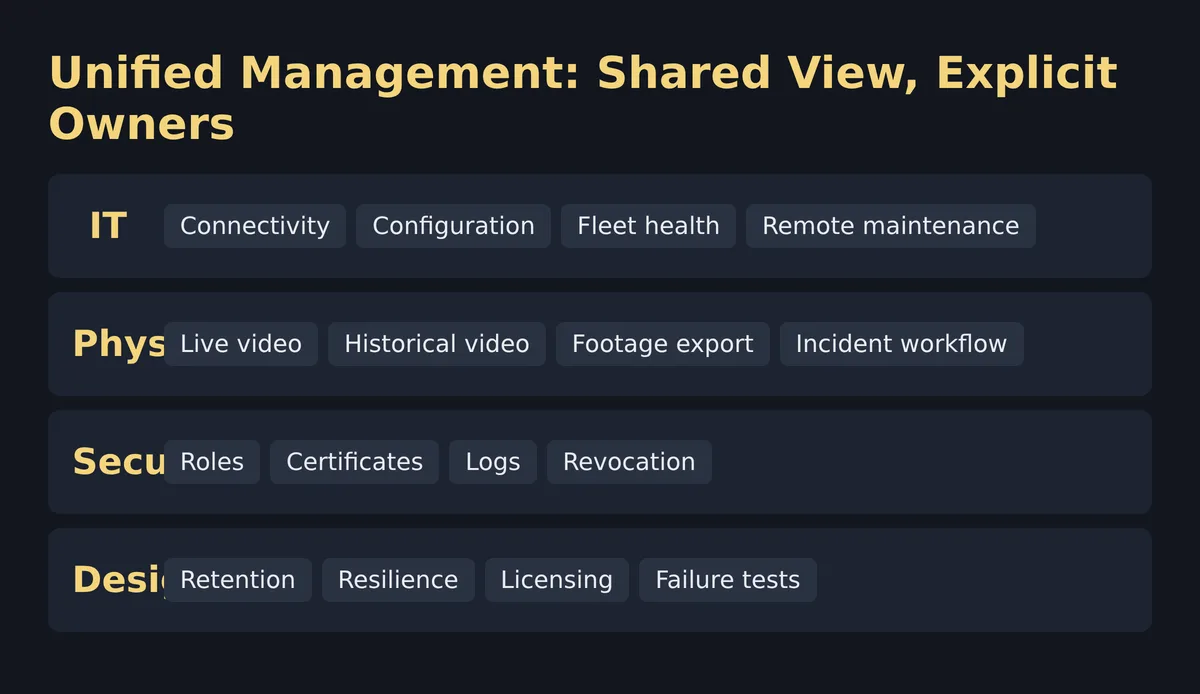
The shared dashboard is intended to expose device operations and network context in one place while Cisco Vision handles video and incident workflows. According to Cisco (2026), IT teams can check connectivity, configure settings, perform audits, manage fleets, and remotely troubleshoot devices and existing network video recorders. The physical-security side can use Cisco Vision for live and historical video, footage export, alerts, analytics, and incident management, subject to the purchased license and supported configuration. According to Cisco (2026), the supported portfolio broadens to three named camera classes: pan-tilt-zoom, modular, and thermal. That is meaningful operational scope, but “single pane of glass” should not become “single owner of everything.” Network operations, physical security, identity, compliance, and facilities teams still need a written responsibility model.
| Operational area | Unified-plane value | Boundary to document |
|---|---|---|
| Inventory | Shared view of supported cameras and network context | Authoritative asset system and reconciliation process |
| Configuration | Central staging and remote changes | Approval, templates, drift detection, rollback |
| Health | Connectivity, device state, and AXIS OS visibility | Alert routing and escalation ownership |
| Maintenance | Remote troubleshooting and firmware operations | Maintenance windows and failed-update recovery |
| Video operations | Live/historical viewing and export through Vision | Retention, access review, evidence custody |
| Analytics | Alerts and licensed visual analytics | Model purpose, validation, privacy, false-positive handling |
The strongest design outcome is shared visibility with explicit ownership. Pair the management view with independent path measurements when validating operational telemetry. A green device state in a portal does not by itself prove that every viewer, recording path, or export workflow performs correctly.
What Is the Industry Impact of Unified Physical-Security Management?
The immediate industry impact is organizational convergence: IP cameras are network endpoints, while their operational value belongs largely to physical-security teams. Cisco and Axis are placing connectivity, device health, firmware, video operations, and incident context closer together, reducing the tooling gap between those teams. According to Cisco (2026), the offer has two license structures, Essentials and Advantage. According to Cisco (2026), Advantage adds historical video, AI-powered video analytics, and 30-day cloud storage. Those are vendor-stated capabilities, not a universal recommendation. The strategic question is whether shared management reduces handoffs without concentrating excessive privilege or obscuring failure domains. Organizations gain the most when the integration leads to common inventory, shared incident language, tested escalation paths, and measurable maintenance workflows—not when they merely replace one dashboard with another.
The architecture also changes procurement and lifecycle conversations. Camera selection can no longer be separated cleanly from identity, WAN reachability, cloud policy, firmware support, storage, and operational licensing. A thermal camera may solve a visibility problem, but its network path and cloud dependencies still belong in the production design. A modular camera may suit a discreet installation, but supportability and evidence workflows still need owners. According to Cisco’s solution brief (2026), the platform comparison emphasizes automatic firmware updates, centralized management, and remote access over manual, locally managed processes. Treat that comparison as a design hypothesis to test during a pilot, not as proof of lower cost or improved outcomes.
For security engineers, this is another example of control planes spanning traditional team boundaries. The risk-based secure network analytics workflow provides a useful model for turning shared telemetry into investigation decisions without pretending that one score or console resolves an incident. When licensed video analytics enter scope, validate model governance and network operations with separate evidence.
How Should Engineers Evaluate the Integration Before Production?
Engineers should evaluate the Cisco–Axis integration with a controlled pilot that tests identity, device support, video paths, observability, licensing, and degraded operation. According to Cisco (2026), the integration supports registration, configuration, monitoring, updates, troubleshooting, live and historical video, and export; each claimed function should become an acceptance test tied to the intended license. Start with a small, representative set of supported Axis devices and a noncritical location. Record the OAuth grant, administrator roles, device identifiers, certificate state, AXIS OS version, expected outbound paths, and rollback conditions before onboarding. Then test normal operations and deliberate failures, including loss of cloud reachability, revoked authorization, an interrupted update, an unavailable viewing client, and removal of an administrator. The goal is evidence that the operating model works, not a polished demonstration.
- Define the pilot’s security, operations, retention, and support acceptance criteria.
- Confirm device models, firmware, licenses, client platforms, and required cloud endpoints against current vendor documentation.
- Map the OAuth grant, administrative roles, device certificates, streaming certificates, and log destinations.
- Enroll a limited device set and preserve the change record, initial configuration, and inventory identifiers.
- Exercise configuration, health monitoring, remote troubleshooting, live viewing, historical viewing, and export only where licensed.
- Break dependencies deliberately to observe cloud, network, identity, update, and client failure behavior.
- Review alerts, logs, certificate handling, evidence export, role changes, and revocation with both teams.
- Decide whether the results satisfy production controls, and retain a documented rollback path.
Do not infer unsupported performance, storage economics, or compliance from the presence of a cloud dashboard. The announced 30-day storage feature belongs specifically to the Advantage description cited above; actual retention and legal suitability need confirmation for the intended deployment. Likewise, remote maintenance can reduce some site visits, but no sourced evidence here establishes a guaranteed savings rate. This separation between vendor capability and local result is the core engineering habit to carry into the design review.
What Should CCIE Security Candidates Learn From This Architecture?
CCIE Security candidates should use this architecture to practice trust-boundary analysis rather than memorize a product announcement. The useful concepts are OAuth 2.0 authorization, certificate-based device identity, encrypted streaming, secure boot, signed software, signed evidence, role separation, telemetry, and failure-domain design. According to Cisco (2026), the workflow contains at least three distinct identity moments: authorizing the cloud connection, registering an Axis device, and provisioning certificates for video streaming. Those moments create a practical exercise in distinguishing user or service authorization from endpoint identity and data-plane protection. The licensing split adds another realistic constraint: a technically visible feature is not necessarily available in every entitlement. Build the diagram first, mark sourced facts, label assumptions, and then design validation steps.
A useful lab discussion can ask five questions: Which actor initiates onboarding? Which system is authoritative for the device record? What evidence proves device integrity? Which role can view or export footage? What survives if either cloud service is unavailable? Avoid inventing CLI commands for a dashboard-led workflow. Use current vendor documentation and an authorized environment for any configuration exercise. If you are also studying cryptographic lifecycle risks, the ML-DSA certificate migration analysis gives a complementary view of why certificate inventory and algorithm policy must be explicit.
FirstPassLab is an independent training site and is not affiliated with or endorsed by Cisco or Axis Communications. If you want to discuss how this architecture fits a CCIE Security practice plan, start a training consultation with FirstPassLab on Telegram.
Frequently Asked Questions
Frequently asked questions about the Cisco–Axis integration center on cloud authorization, NVR dependence, and the security controls that remain after centralization. The answers below stay within the capabilities documented by Cisco and Axis in 2026. They do not assume that every Axis model, client, license, retention requirement, or existing recorder is supported. Before production, verify the current compatibility list and licensing terms, then test the actual environment. Treat the Meraki dashboard as a management plane rather than proof that identity, network reachability, video integrity, storage, and incident handling are correct. Those properties need their own evidence and operational owners.
How does Axis Cloud Connect integrate with Cisco Meraki?
The integration establishes a cloud-to-cloud OAuth 2.0 relationship, after which supported Axis devices can be registered, discovered, configured, monitored, and maintained through the Meraki dashboard.
Does the Cisco and Axis integration replace every NVR?
No. Cisco describes reduced dependence on on-premises infrastructure, but an engineer must verify retention, bandwidth, resilience, regulatory, and supported-device requirements before changing an existing recording design.
Which security controls matter most for the Cisco and Axis integration?
Review OAuth authorization, administrator roles, device certificates, encrypted streaming, Axis Edge Vault, signed AXIS OS, secure boot, signed video, logging, and the operational process for revoking access.
For a focused discussion about practicing these trust-boundary and validation skills, contact FirstPassLab on Telegram.